Screenza
- 4.6
- Rating
- 100.00K
- Installs
- Free
- Price

 Analysis by App-foxy
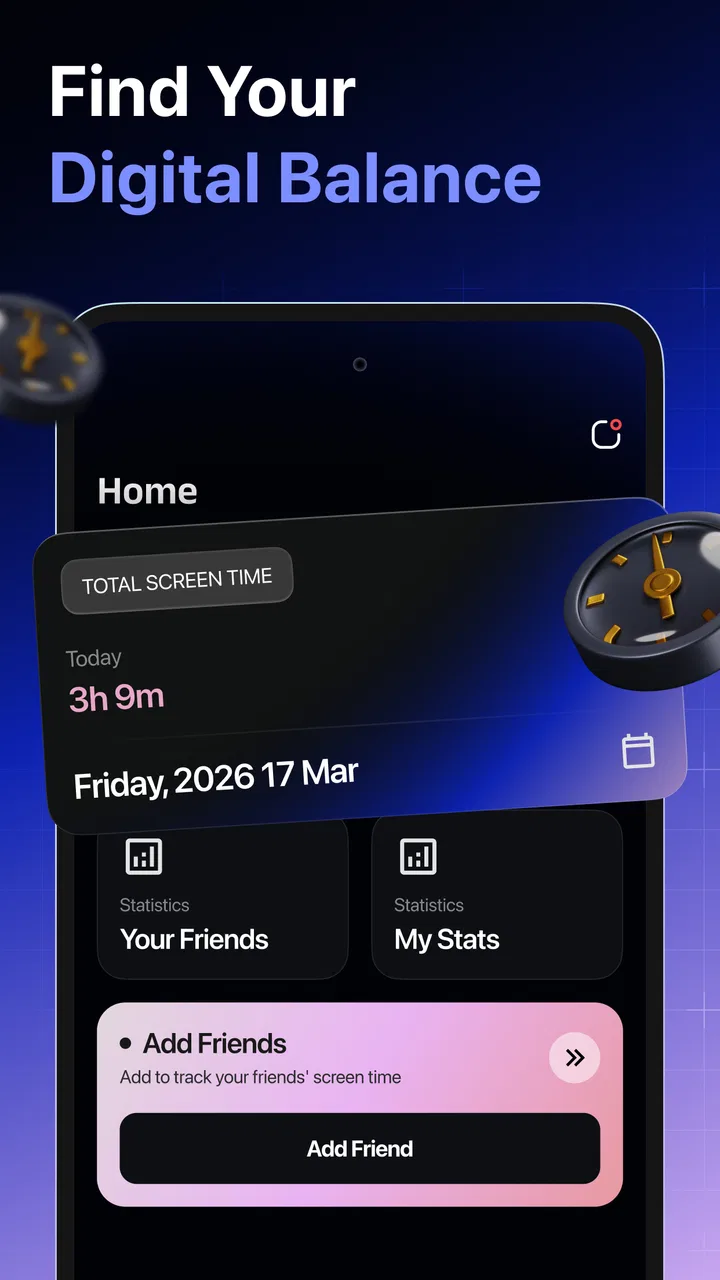
Screenza is a small, focused parenting app built around one useful question: how often am I really checking my screen activity? I found its appeal less in dramatic controls and more in the simple act of making phone use easier to notice. That makes it potentially helpful for parents who want a calmer, more informed conversation about device habits, rather than another complicated family-management system.
My overall view is positive but measured. Screenza works best as an awareness tool, not as a complete parental-control suite. If you want a straightforward way to review screen activity and use that information to guide routines, it is worth trying. If you need detailed blocking, remote restrictions, location tools, or a full family dashboard, you will probably need a more established alternative alongside it.
What using Screenza feels like in everyday family life
The app comes from MOBİLEDO YAZILIM HİZMETLERİ and sits in the parenting category. It is free to install, with optional purchases ranging from $3.99 to $19.99 per item. Its Everyone age rating makes it approachable for households where parents and children may look at the information together, although the way a family uses any screen-monitoring tool still deserves an age-appropriate conversation.
You May Also Like

 Blood Strike: 2.5 Anniversary
Blood Strike’s Loadouts Turn Every Drop Into a Tactical Gamble
A close look at Blood Strike’s custom loadouts: how fast access to signature weapons reshapes its battle royale rhythm, rewards preparation, and narrows the gap between fights.

 Pandora - Music & Podcasts
Pandora’s Music Is Easy to Start, but Harder to Recover
Pandora’s strength is its low-effort path from a seed to a station. Its weak spot is how much confidence it asks you to place in connection, setup, and quiet recovery.

 8 Ball Pool
 Is Built on Rivalries, Rematches, and Routine
A close look at the rivalries, rematches, shared routines, and unanswered safety questions that turn a quick pool match into a persistent mobile community.

 Samsung Music
’s Quiet Strength Is Playing What You Already Own
Its reach comes less from spectacle than from dependable access to a personal library. That simplicity is both the app’s strongest retention engine and its ceiling.

 AccuWeather: Weather Radar
AccuWeather Review: A Quick, Clear Forecast for Everyday Decisions
For everyday plans, the best forecast is the one you can understand quickly. AccuWeather makes rain timing, radar, and local conditions easy to act on, with a few trade-offs.

 Hill Climb Racing
Why Hill Climb Racing Still Turns Crashes Into One More Run
A tiny car, a bumpy hill and one more upgrade: Hill Climb Racing keeps resurfacing because its simple chaos makes every near-miss feel personal.
More From Our News Desk



The central idea is easy to understand. Screenza is designed to help you examine screen activity regularly, rather than relying on a vague feeling that someone is “always on the phone.” That distinction matters. A parent may notice a child using a device during homework, but the broader pattern can be harder to judge. Likewise, an adult may set rules for children while overlooking their own habits. A neutral review of activity can make the discussion more concrete.
I would begin by treating the app as a shared observation tool. Instead of opening it only after an argument, I would check it at a calm time and look for patterns across ordinary days. The useful question is not simply whether the total looks high. It is whether screen use is interfering with sleep, schoolwork, meals, outdoor time, or family conversations. Screenza is more valuable when its information leads to one practical adjustment than when it becomes another source of blame.
A realistic example is a child who appears to be using a phone only briefly after school. A quick check may reveal that the device is being revisited repeatedly while homework is supposedly in progress. That does not automatically prove a problem; short checks can also be caused by messages, school tasks, or a habit of unlocking the phone without spending much time on it. The insight is that the family can now ask a better question: what is happening during that period, and what routine would make concentration easier?
The same approach works for adults. I found the app easier to recommend when it is presented as something the whole household can learn from, rather than a one-sided inspection of a child. A parent who checks their own habits first has a stronger basis for suggesting a device-free meal or a phone-free bedtime. That shared responsibility can reduce the feeling that screen rules are punishment imposed from above.
Why the simple focus is a strength
Many parenting apps try to combine screen reports with blocking, rewards, schedules, web filtering, location tracking, and account management. Those tools can be useful, but they also create setup work and make the experience feel like administration. Screenza’s narrower purpose is easier to explain to a family: open it, review activity, and decide whether a habit needs attention.
This simplicity is especially useful for parents who have already tried to establish screen rules informally. A rule such as “use the phone less” is difficult to follow because it gives no clear point of reference. Regularly reviewing activity can turn that rule into a conversation about timing and context. The app does not need to become the authority in the home; it can simply provide a prompt for better decisions.
There is also a subtle benefit in checking often rather than waiting for a major problem. A weekly review may catch a pattern before it becomes a nightly argument. For example, repeated late-evening use can encourage a family to move charging away from the bedroom, while frequent interruptions during study time may suggest a different solution, such as setting aside a short message-checking window. The right response depends on the pattern, not just the existence of phone use.
One practical tip is to compare activity with the day’s purpose. A higher amount during a long journey, school project, or family event may not mean the same thing as a similar amount during bedtime. I would avoid treating every increase as a failure. Screenza becomes more useful when the numbers are interpreted alongside routines, responsibilities, and the child’s age.
Where it sits beside familiar alternatives
Compared with the built-in screen-time panels on Android or iOS, Screenza has the potential advantage of being selected specifically for a parenting conversation. The usual system tools are convenient because they are already part of the device, but they can feel like technical settings rather than a family habit. A dedicated app may be easier for someone who wants a single place to focus on the topic.
On the other hand, built-in tools remain attractive when you want the fewest extra installations or the deepest connection to the operating system. They may also be the better choice for a parent who only needs an occasional glance and does not want another app to maintain. Screenza should therefore be judged by how much clarity its focused presentation adds to your routine, not by assuming that a separate app is automatically more powerful.
It also differs from full parental-control products. Those services are generally a better fit when the main goal is enforcement: limiting access, managing schedules, filtering content, or supervising several devices from one place. Screenza appeals more to families who want to understand habits before deciding whether stronger controls are necessary. That is an important trade-off. Awareness can encourage cooperation, but it does not replace a technical restriction when a child repeatedly ignores an agreed boundary.
The limitation parents should understand first
The biggest weakness is the risk of mistaking observation for intervention. Seeing screen activity can help explain what is happening, but it does not by itself change behavior. A parent expecting the app to solve bedtime arguments or stop distractions may be disappointed. The hard part remains the family agreement that follows the review.
There is also a social limitation. Monitoring can feel intrusive if a child believes the app is being used to catch them out. I would explain the purpose before making it part of a routine, agree on when the information will be reviewed, and avoid turning every check into a disciplinary hearing. For older children and teenagers, that consent-oriented approach is particularly important. Trust can be damaged if the app becomes a hidden surveillance tool.
Another point of friction is interpretation. A screen-activity figure does not tell you whether the time was productive, educational, social, or simply accidental. Nor does it explain why someone reached for a device. A parent who wants app-by-app judgments, content review, or detailed activity context may find a focused awareness app too limited. Screenza is best used as one piece of evidence, not as a complete account of a child’s digital life.
The optional purchase model is another consideration. The app is free to start, but some items cost between $3.99 and $19.99. Before paying, I would first use the basic experience long enough to decide whether regular screen reviews actually fit the household. A paid option makes sense only if it adds value to a routine you are already willing to maintain. Families looking for a completely free, one-time solution should keep that in mind.
Three ways to get more value from it
First, create a review ritual instead of checking randomly. Choose a quiet moment after a normal day, then discuss one observation and one possible adjustment. This avoids the common mistake of opening a monitoring app only when someone is already upset. The goal is to identify repeatable patterns, not to collect evidence for an argument.
Second, separate frequency from impact. A device may be opened many times without consuming much content, while a single long session may be the real issue. If activity appears unusual, ask what was happening around it: homework, travel, communication, entertainment, or difficulty settling down. This prevents a misleading conclusion based on one figure alone.
Third, use the app to test a change rather than announce a permanent rule. If late-night activity seems to be affecting mornings, try a clear charging routine for several days and then review whether the household feels different. If study interruptions are the concern, agree on a specific phone location during homework and revisit the arrangement. This turns Screenza into a feedback loop rather than a scoreboard.
A fourth useful approach is to include the parent’s device in the conversation. Children are more likely to accept limits when adults acknowledge their own habits. I would not make the review competitive, but I would use it to ask whether everyone is giving full attention during meals or conversations. That makes the app relevant to family culture, not only child supervision.
Who should choose it, and who should skip it
Screenza is a good match for parents who want a gentle starting point, especially those who feel their household needs more awareness before stricter controls. It can also suit families that prefer discussing habits openly and making small changes rather than imposing a long list of technical restrictions. Because the app is aimed at general audiences and is free to begin with, the barrier to experimenting is relatively low.
I would also consider it for a parent who has noticed a specific concern but does not yet know whether it is occasional or persistent. Repeated distractions during study, frequent evening checks, or a growing habit of reaching for the phone during family time are all situations where regular observation can add useful context.
I would skip it as a primary solution if you need immediate enforcement. A younger child who cannot reliably follow agreements may need device-level limits, while a teenager dealing with serious online-safety concerns may require a broader and more carefully configured approach. Screenza is not the right substitute for a conversation with a child, a device setting that enforces a boundary, or professional support when technology use is connected to wider emotional or family difficulties.
It may also be a poor fit for people who dislike reviewing data or who know they will check compulsively. Monitoring can become counterproductive when every small change triggers suspicion. In that situation, a simple household rule, a charging station, or the operating system’s existing tools may be less intrusive and easier to sustain.
Practical details before you install
The app is currently at version 1.0.3 and requires Android 8.0 or later. Its recent position in the Android parenting space means I would approach it with realistic expectations: the focused concept is appealing, but long-term value will depend on how smoothly it fits into repeated family use. An app like this succeeds through consistency, not through one dramatic first session.
Its public reception is encouraging, with a 4.6 average from around 52 thousand ratings and more than 100 thousand installs. Those figures suggest that many users find the basic idea useful, but they should not replace your own test. Screen habits differ widely between families, and an app that feels reassuring to one household may feel intrusive or too limited to another.
I would start with a short trial period and establish the family’s purpose before drawing conclusions. Decide whether you are looking at bedtime, study interruptions, general awareness, or your own phone use. Then judge the app by whether it helps you make a clearer decision. If it only produces more checking without improving a routine, it is not earning a permanent place on the device.
My final recommendation
After looking at Screenza as both a parenting aid and a daily habit, I see it as a useful middle ground. It is more intentional than casually glancing at a phone’s settings, but less forceful than a full parental-control platform. That balance is its main strength and its main limitation: it can make screen conversations more specific, yet it cannot make the decision for you.
I would recommend it to families that want to notice patterns, discuss them respectfully, and make small changes together. I would not recommend relying on it alone when the household needs blocking, filtering, or firm technical boundaries. Used with realistic expectations, Screenza can turn an abstract concern about screen time into a more thoughtful conversation about when devices help and when they get in the way.
For me, the clearest reason to try Screenza is not the promise of perfect control. It is the chance to replace guesswork with a regular, calmer review. If that is the kind of parenting support you are looking for, this free app is a sensible place to start, while remembering that the most important feature is still the agreement your family makes after looking at the activity.
FAQs for Screenza
01What is Screenza and what does it do?
Screenza is a versatile screen recording application available for both Android and iOS devices. It allows users to capture high-quality video of their screen activity, making it ideal for tutorials, gaming, and presentations. The app also offers editing tools to enhance your recordings with annotations, voiceovers, and more.
02Is Screenza free to use?
Screenza offers a free version with basic features, which is suitable for most users who need standard screen recording capabilities. However, for advanced features like removing watermarks, accessing premium editing tools, and higher resolution recordings, a subscription to the premium version is required.
03How easy is it to use Screenza for beginners?
Screenza is designed with user-friendliness in mind, featuring an intuitive interface that makes it accessible for beginners. The app provides step-by-step guides and tutorials to help new users get started with screen recording and editing, ensuring a smooth experience from installation to video sharing.
04Can Screenza record audio along with the screen?
Yes, Screenza can record audio simultaneously with video. It offers options to capture system audio, microphone input, or both, allowing users to add commentary or capture in-app sounds. This feature is particularly useful for creating comprehensive tutorials or recording gameplay with commentary.
05Is Screenza compatible with all devices?
Screenza is compatible with most Android and iOS devices that meet the minimum operating system requirements. However, performance may vary depending on the device's specifications. Users are encouraged to check compatibility details on the app store page before downloading to ensure optimal functionality.
Pros
- User-friendly interface design.
- Wide variety of customizable features.
- Fast and smooth performance.
- Regular updates with new content.
- Secure data privacy protocols.
Cons
- Limited free version features.
- Occasional in-app ads.
- Requires constant internet connection.
- High battery consumption.
- No offline mode available.

Screenza
Gallery